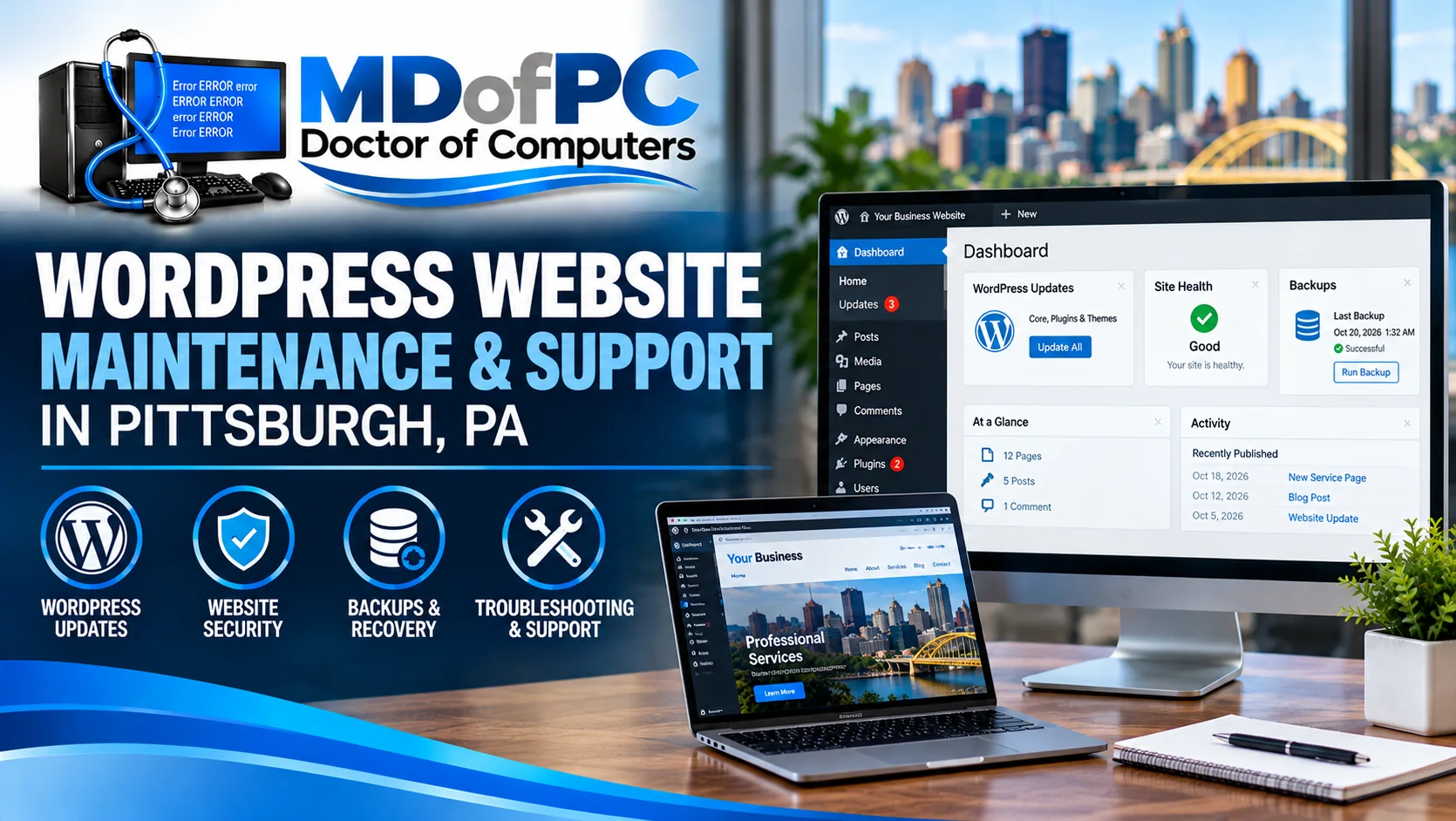
WordPress Website Maintenance & Support in Pittsburgh, PA
MDofPC helps Pittsburgh-area businesses keep WordPress sites updated, fix specific problems, and take over maintenance on existing sites. Choose ongoing care if you want a regular schedule, or ask for one-time help if something has stopped working.
Which WordPress support option fits your site?
| Ongoing WordPress Maintenance | One-Time WordPress Support |
|---|---|
| Best for keeping a working site updated and checking the features your business relies on. | Best for a specific issue, such as a broken form, a plugin conflict, a login problem, or an error after an update. |
| What we can cover WordPress, theme, and plugin updates, backup checks, security reviews, and agreed functionality checks. | What we can cover diagnose the issue, explain the recommended work, and test the affected feature after the repair. |
| How we quote it after reviewing your site, we discuss the work and schedule that fit its setup and how often it changes. | How we quote it tell us what stopped working and when. We discuss the likely scope and cost before work begins. |
Already have a WordPress site someone else built?
In many cases, we can take over maintenance or help with a one-time repair. We may review your WordPress and hosting access, existing backups, and any theme or plugin licenses first. If the site needs repairs before routine maintenance can start, we’ll explain what needs attention.
At MDofPC Doctor of Computers, we help small businesses throughout Pittsburgh, Moon Township, Coraopolis, Robinson Township, and surrounding Western Pennsylvania communities maintain and troubleshoot their WordPress websites.
Whether you need help fixing an existing issue, updating your website, reviewing security concerns, or arranging ongoing WordPress support, we can help you figure out what needs attention.
And you don’t have to be a technical person to explain the problem.
Need WordPress website support in Pittsburgh? Call MDofPC at 412-680-1134.
Why WordPress Websites Need Regular Maintenance
One of the reasons WordPress is so popular is that it gives business owners flexibility.
You can add pages, publish articles, update photos, manage contact forms, and make changes without rebuilding your entire website.
But WordPress isn’t something you should install once and forget about.
Your website relies on several components working together:
- WordPress core software
- Your website theme
- Plugins that add features and functionality
- Your hosting environment
- PHP and database software
- SSL certificates and domain settings
- Website files, images, and content
These components receive updates, and sometimes those updates affect how other parts of the website function.
A plugin that worked fine last year may eventually become incompatible with a newer version of WordPress. A theme update could affect your page layout. An outdated PHP version might cause errors after other software changes.
Regular maintenance helps identify problems, reduce avoidable security exposure, and keep your website functioning properly.
It doesn’t eliminate every possible problem, but it makes it easier to catch issues before they become larger disruptions.
Our WordPress Website Maintenance Services
Not every website needs the same level of maintenance.
A small informational website with five pages has different requirements than an online store with customer accounts, payment processing, and dozens of plugins.
MDofPC can review your existing WordPress installation and discuss the support services appropriate for your website.
WordPress Core, Theme & Plugin Updates
When you log into WordPress and see a long list of available updates, it can be tempting to click the Update All button.
Sometimes that works without any problems.
Other times, an update creates a conflict, changes the appearance of a page, or interferes with a feature your business depends on.
We help businesses manage WordPress software updates, including:
- WordPress core updates
- Theme updates
- Plugin updates
- Compatibility checks
- Troubleshooting update-related errors
- Reviewing outdated or unsupported plugins
For websites with important business functionality, updates may need to be tested before being applied to the live site.
The goal isn’t simply to make every update notification disappear. It’s to keep the website reasonably current while reducing the risk of unnecessary disruption.
WordPress Website Backups & Recovery Planning
Imagine logging into your website tomorrow and discovering that important pages are missing.
Or a plugin update causes a major error, and you need to restore an earlier working version.
That’s when a usable website backup becomes important.
MDofPC can help review WordPress backup arrangements and discuss options for protecting your website files and database.
Depending on your hosting environment and website setup, this may involve:
- Reviewing existing backup tools
- Configuring backup schedules
- Checking backup storage locations
- Discussing offsite backup options
- Reviewing available restoration methods
- Assisting with website recovery when a suitable backup exists
A backup is only useful if it contains the necessary data and can actually be restored.
That’s why backup planning should include more than installing a plugin and assuming everything is protected.
Backup frequency should reflect how often your website changes. An online store processing daily orders may need a different backup strategy than a small business website that receives occasional content updates.
WordPress Website Security Maintenance
WordPress websites can be targeted by automated attacks, password-guessing attempts, malicious plugins, and vulnerabilities in outdated software.
No website is completely immune to security problems.
However, there are practical steps businesses can take to reduce unnecessary exposure.
MDofPC can help review areas such as:
- WordPress and plugin updates
- Administrator account security
- Strong passwords and multifactor authentication
- User permissions
- Unused plugins and themes
- Backup availability
- Security plugin configuration
- SSL and HTTPS settings
- Suspicious website behavior
Security maintenance should be based on the website’s actual risks, hosting environment, and business requirements.
If a website is already compromised, it may require a separate investigation and cleanup rather than routine maintenance.
Broken WordPress Website Troubleshooting
Sometimes you don’t know what caused the problem.
You just know your website looked fine yesterday, and today something isn’t working.
Maybe the homepage loads, but another page displays an error. Perhaps the WordPress dashboard won’t open. Or visitors are seeing a blank screen.
MDofPC can help investigate common WordPress issues, including:
- WordPress critical error messages
- Blank pages or white screens
- Plugin and theme conflicts
- Broken page layouts
- Website update failures
- Login and administrator access problems
- Database connection errors
- PHP compatibility problems
- Website functionality that stopped working
The cause isn’t always obvious.
For example, a page that appears broken after a WordPress update may actually be affected by an outdated plugin or a caching problem.
We work through the symptoms to identify what needs to be corrected.
Contact Form & Email Delivery Problems
Your contact form may be one of the most important parts of your website.
If it stops working, potential customers might try to reach your business without you ever receiving their messages.
Sometimes the form displays a success message even though the notification email never arrives.
Possible causes include:
- Incorrect form notification settings
- Email authentication problems
- SMTP configuration issues
- Plugin conflicts
- Spam filtering
- Hosting restrictions
- Changes to domain or DNS records
MDofPC can help troubleshoot WordPress contact forms and investigate website email delivery issues.
After changes are made, forms should be tested to confirm that submissions are being processed and notifications are reaching the intended mailbox.
For businesses that depend heavily on website inquiries, this is an especially important maintenance task.
WordPress Website Speed & Performance Troubleshooting
Has your website become noticeably slower?
Maybe the homepage takes several seconds to appear, or pages that once loaded quickly now feel sluggish.
WordPress performance problems can have several causes.
Large image files, excessive plugins, inefficient themes, hosting limitations, database overhead, and third-party scripts can all affect loading times.
MDofPC can help investigate performance issues involving:
- Oversized images
- Caching configuration
- Unnecessary or resource-heavy plugins
- Database-related slowdowns
- Theme performance
- Hosting resource limitations
- Page loading errors
- Mobile performance concerns
Some problems can be corrected through website configuration. Others may require changes to hosting, theme design, or website functionality.
No one can guarantee a particular Google PageSpeed score for every website. The objective is to identify meaningful improvements that fit your website and its requirements.
Website Content Updates & Routine Changes
Not every WordPress maintenance request involves a technical problem.
Sometimes you just need someone to make updates.
Maybe your business has changed its hours, added a service, hired a new employee, or moved to a different location.
You might need to:
- Update text on existing pages
- Replace outdated photos
- Add a new service page
- Correct business contact information
- Update navigation menus
- Change buttons or links
- Publish a blog post
- Update website announcements
- Remove outdated content
Keeping information current helps visitors find accurate details about your business.
It can also support your local SEO efforts by ensuring your website reflects the services and locations you actually serve.
Website Hosting, SSL & Domain Troubleshooting
Not every website problem starts inside WordPress.
Sometimes the issue involves the hosting server, domain registration, DNS records, or SSL certificate.
For example, a website may suddenly display a security warning because its SSL certificate expired or failed to renew.
Another business might experience website or email problems after changing hosting providers.
MDofPC’s broader IT and website experience allows us to investigate issues that may involve:
- Website hosting configuration
- Domain and DNS settings
- SSL and HTTPS problems
- Hosting-related website errors
- Website migrations
- WordPress and PHP compatibility
- Website and email service connections
Some changes require access to the hosting provider or domain registrar, and certain problems may need to be resolved in coordination with those companies.
What Happens When WordPress Maintenance Is Ignored?
A website doesn’t necessarily stop working just because an update is overdue.
That’s one reason maintenance is easy to put off.
But over time, neglected websites can develop problems that become more difficult to resolve.
Outdated Plugins Can Create Security Risks
Plugins that are no longer maintained may contain known vulnerabilities or stop working with newer WordPress versions.
Not every outdated plugin is automatically vulnerable, but unsupported software deserves attention.
Updates Can Become More Complicated
Updating a website that has fallen several years behind can be more complicated than maintaining it regularly.
Themes, plugins, PHP versions, and WordPress itself may all need compatibility checks.
Contact Forms May Stop Working
A business owner might not realize there’s a problem until someone calls and says they submitted a message days ago.
Website Performance Can Decline
Large media libraries, unnecessary plugins, and changes to the hosting environment may affect performance.
Recovery May Become More Difficult
If reliable backups haven’t been maintained, recovering from a serious website failure can take more time and may not be fully possible.
Regular maintenance is about reducing these risks and understanding the condition of your website.
Do You Need WordPress Maintenance If Your Website Is Working Fine?
Yes, it’s worth considering.
You don’t have to wait until something breaks.
A website can appear normal to visitors while still having outdated software, failed scheduled tasks, unused administrator accounts, or a backup process that isn’t working as expected.
A maintenance review can help answer some basic questions:
- Is WordPress reasonably up to date?
- Are any important plugins outdated or unsupported?
- Are backups being created successfully?
- Does the contact form still work?
- Are there unusual administrator accounts?
- Is the website displaying correctly on mobile devices?
- Are important pages loading properly?
- Are there security or hosting issues that need attention?
The answers help determine whether your website needs immediate repairs, routine maintenance, or more substantial improvements.
Our WordPress Maintenance & Support Process
When you contact MDofPC about a WordPress website, the first step is understanding what you need.
-
Tell Us About Your Website
Let us know your website address, what you’re experiencing, and whether you need a one-time repair or ongoing support.
If there’s an error message, screenshot, or particular page that isn’t working, that information can help.
-
Review the Website and Its Current Condition
Depending on the issue and the access you authorize, we may review the WordPress installation, plugins, theme, hosting environment, and relevant website settings.
We’ll identify the most important areas that need attention.
-
Discuss the Recommended Work
Before making significant changes, we’ll discuss the likely cause of the problem and the recommended next steps.
Some websites need only minor adjustments. Others may require more involved troubleshooting, compatibility testing, or hosting changes.
-
Perform Authorized Maintenance or Repairs
Once the scope is agreed upon and the necessary access is available, the appropriate work can begin.
For potentially disruptive changes, a suitable backup and testing approach should be considered first.
-
Check the Website After Changes
After maintenance or repairs, important functionality should be checked.
This may include reviewing affected pages, testing forms, confirming access to the dashboard, and checking the website on desktop and mobile devices.
-
Discuss Future Maintenance Needs
If we identify additional concerns, we’ll explain them.
You can then decide whether you want occasional assistance or an ongoing maintenance arrangement.
WordPress Maintenance for Small Business Websites
MDofPC focuses on the technology needs of small businesses.
That includes websites for:
- Contractors and home service companies
- Professional offices
- Local retailers
- Consultants
- Small manufacturers
- Service-based businesses
- Local organizations
- Other Pittsburgh-area businesses
A contractor may primarily need a working contact form and accurate service pages.
A professional office may be more concerned about website security and dependable hosting.
A retailer using WooCommerce may need additional attention to plugin compatibility, payment integrations, and backups.
We consider how your business uses its website before recommending maintenance work.
Can MDofPC Maintain a WordPress Website Built by Another Company?
In many cases, yes.
You don’t necessarily need to return to the original website designer for every update or repair.
However, the website’s condition and technical setup matter.
Some WordPress websites use heavily customized themes, proprietary plugins, or page builders that require specific licenses.
Others may have outdated software or incomplete administrator access.
Before taking over maintenance, MDofPC may need to review the website and determine whether the necessary access, licenses, backups, and technical information are available.
If the website has serious underlying problems, those may need to be addressed before routine maintenance can begin.
WordPress Maintenance & SEO: How Are They Connected?
Website maintenance and search engine optimization are related, but they’re not the same service.
Maintaining your WordPress website can support SEO by helping keep pages accessible, fixing broken links, improving performance, and ensuring important functionality continues to work.
For example:
- Broken pages can prevent visitors and search engines from accessing content.
- Incorrect redirects may send visitors to the wrong location.
- Slow-loading pages can affect the user experience.
- Website security problems can disrupt access to the site.
- Outdated service information may confuse potential customers.
- Mobile display problems can make a website difficult to use.
However, routine WordPress maintenance does not automatically improve Google rankings.
Keyword research, content strategy, search intent, technical SEO, and other optimization work may require a separate service.
MDofPC’s experience with both websites and business technology can help identify when a problem involves website maintenance and when broader SEO work may be appropriate.
Why Choose MDofPC for WordPress Website Support in Pittsburgh?
There are plenty of companies that can build a WordPress website.
But maintaining an existing website sometimes requires a different kind of experience.
A problem that appears to involve WordPress may actually come from hosting, DNS, email authentication, server configuration, or a software conflict.
That’s where MDofPC’s combination of IT troubleshooting and website experience can be useful.
More Than 20 Years Helping Pittsburgh-Area Businesses
MDofPC Doctor of Computers is a family-owned technology business that has served Pittsburgh-area customers since 2001.
Our work includes computer repair, business IT support, troubleshooting, website design, and website maintenance.
Help With More Than Just WordPress
Small-business technology problems sometimes overlap.
A website problem might involve your domain. A domain problem might affect email. A hosting issue might interfere with website performance.
MDofPC can look at these connected systems rather than treating every issue as an isolated WordPress problem.
Local Support Without Unnecessary Complications
You shouldn’t need to understand PHP, DNS records, or plugin conflicts to get help with your business website.
Tell us what’s happening, and we’ll discuss what may be involved in fixing it.

Website Experience Led by Jon Crain
MDofPC owner Jon Crain has more than 30 years of hands-on computer and technology experience.
His background also includes more than 25 years working with websites, WordPress, hosting, SEO, and digital marketing.
Across his website and digital marketing work, Jon has worked on more than 500 website projects.
His technical background includes Microsoft MCP, MCSE, and CompTIA A+ certifications.
WordPress Website Maintenance in Pittsburgh & Western Pennsylvania
MDofPC provides WordPress website maintenance and support for businesses throughout the greater Pittsburgh area, including:
- Pittsburgh, PA
- Moon Township, PA
- Coraopolis, PA
- Robinson Township, PA
- Carnegie, PA
- Sewickley, PA
- Cranberry Township, PA
- Surrounding Western Pennsylvania communities
Because much of WordPress troubleshooting and maintenance can be performed remotely, support may also be available for businesses outside the immediate Pittsburgh area.
Service availability depends on the website’s requirements and the work involved.
Frequently Asked Questions About WordPress Website Maintenance
How often should a WordPress website be maintained?
The appropriate schedule depends on the website. A small informational website may need periodic updates and checks, while an online store or frequently updated business website may require closer attention. Important security updates should be evaluated promptly rather than waiting for a fixed monthly schedule.
What is included in WordPress website maintenance?
Common tasks include WordPress updates, plugin and theme maintenance, backup checks, security reviews, troubleshooting, and functionality testing. The exact services depend on the agreed scope of work.
Can you fix my WordPress website if it’s broken?
MDofPC can investigate many common WordPress problems, including plugin conflicts, update errors, broken layouts, and dashboard issues. Whether a website can be fully restored depends on the cause, available backups, and technical condition.
Can you maintain a website that someone else designed?
Often, yes. We may first need to review the website, confirm access, and check for custom themes, licensed plugins, or other requirements.
Do I need to give you my WordPress password?
Authorized access is usually needed for certain maintenance tasks, but you should avoid sending passwords through ordinary email. A separate administrator account or another secure access method may be appropriate. Hosting access may also be required for some repairs.
Can WordPress updates break my website?
Yes. Updates can sometimes create compatibility problems involving plugins, themes, PHP versions, or custom code. Appropriate backups and testing can reduce the impact of these issues, although they cannot eliminate every risk.
Can you help if my WordPress website has been hacked?
MDofPC can discuss suspected website security incidents and determine whether an investigation or cleanup is appropriate. A compromised website may require additional steps beyond ordinary maintenance, including credential changes, restoration, and reviewing how access was obtained.
Can you speed up my WordPress website?
MDofPC can investigate common performance problems involving plugins, images, caching, themes, and hosting. The improvements possible depend on the website and its technical limitations.
Do you offer one-time WordPress support?
Contact MDofPC to discuss a specific WordPress issue or one-time maintenance request. We can review the situation and explain the available service options.
How much does WordPress website maintenance cost?
Pricing depends on the size of the website, its condition, the work required, and whether support is occasional or ongoing. Contact MDofPC for current pricing and to discuss the scope of service.
Will WordPress maintenance improve my Google rankings?
Maintenance can help keep a website technically functional and accessible, but it does not guarantee improved rankings. SEO results depend on many additional factors, including content quality, relevance, competition, and search engine systems.
Do you also design new WordPress websites?
Yes. MDofPC provides website design and development services for Pittsburgh-area businesses. If an existing website is outdated or difficult to maintain, we can discuss whether repairs, improvements, or a redesign make more sense.
Need WordPress Website Maintenance in Pittsburgh? Contact MDofPC
Maybe your WordPress website is running fine, but you’re concerned about outdated plugins and missed updates.
Maybe something stopped working and you aren’t sure what caused it.
Or perhaps you’re simply tired of trying to maintain your business website on your own.
Whatever the situation, MDofPC Doctor of Computers can help you evaluate your WordPress maintenance and support needs.
We’ll discuss your website, the problems you’re experiencing, and the next steps that make sense.
Related service: Website Design & Development in Pittsburgh, PA
MDofPC Doctor of Computers
Phone: 412-680-1134
Email: mdofpc@gmail.com
Website: https://mdofpc.com/
Contact MDofPC to discuss WordPress website maintenance, troubleshooting, or support.
MDofPC Doctor of Computers — helping Pittsburgh-area small businesses with computers, IT, websites, and technology since 2001.