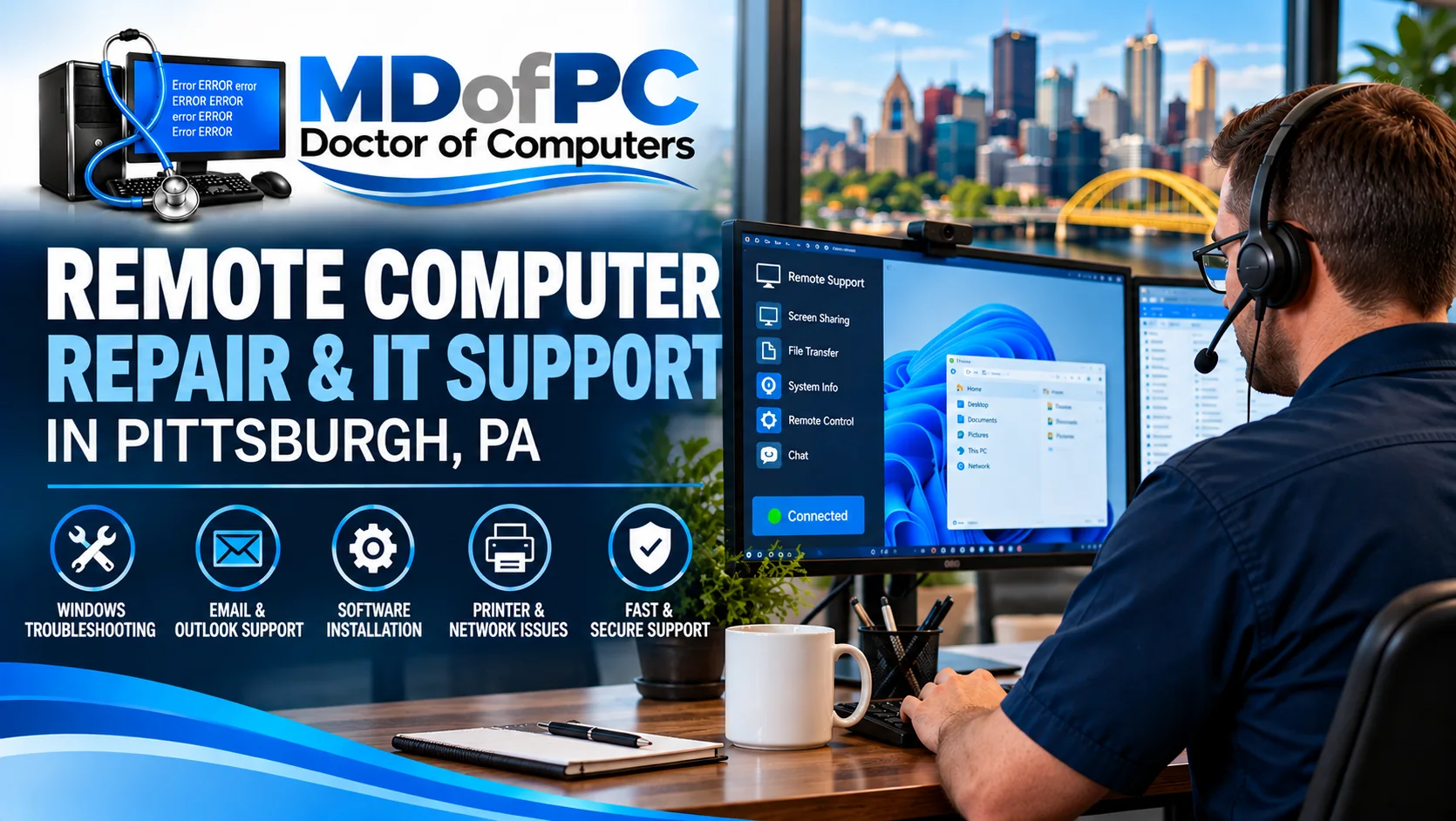
Remote Computer Repair & IT Support in Pittsburgh, PA
Having trouble with a business computer but don’t want to wait for someone to come to your office?
Not every computer problem requires an onsite visit. Sometimes a Windows error, email problem, printer issue, or software malfunction can be diagnosed and fixed remotely while you’re sitting at your desk.
At MDofPC Doctor of Computers, we provide remote computer repair and IT support for small businesses throughout Pittsburgh, Moon Township, Coraopolis, Robinson Township, and surrounding Western Pennsylvania communities.
Maybe an employee can’t access their email. A business application keeps freezing. A Windows update caused something to stop working. Or your computer has become so slow that even opening a document takes longer than it should.
These are the kinds of problems that may be suitable for remote troubleshooting.
MDofPC helps business owners determine what’s causing the issue, whether it can be addressed remotely, and what to do if hands-on repair is necessary.
Need help with a business computer? Call MDofPC at 412-680-1134 to discuss remote IT support.
What Is Remote Computer Repair?
Remote computer repair allows an IT technician to troubleshoot a computer over an internet connection without physically visiting the location.
With your permission, a technician can use remote support software to view the computer, examine settings, run diagnostic tools, and perform certain repairs.
You can often remain at your desk while the technician works.
For example, suppose your office computer suddenly stops opening Microsoft Outlook. You can still access the internet, but every time you try to open Outlook, an error message appears.
Instead of disconnecting the computer and taking it to a repair shop, a technician may be able to connect remotely, investigate the error, and work toward a solution.
Remote repair is particularly useful for software problems because many of the necessary troubleshooting steps can be performed without physically touching the computer.
However, not every issue can be fixed this way.
A computer that won’t turn on, a failed hard drive, or a damaged network cable may require onsite service or hands-on repair.
Remote IT Support Services for Pittsburgh Small Businesses
Small businesses depend on computers for scheduling, accounting, customer communication, inventory, documents, and everyday operations.
When something stops working, even a relatively minor problem can interrupt the workday.
MDofPC offers remote troubleshooting for a variety of common business technology issues.
Windows Computer Troubleshooting
Windows problems don’t always mean a computer needs to be replaced.
An application might stop responding, a user profile may develop problems, or a Windows update could interfere with software that previously worked.
Remote troubleshooting may help identify and address:
- Windows error messages
- Programs that freeze or crash
- Startup and login problems when remote access is still possible
- Windows update errors
- Software installation problems
- User account and permission issues
- Operating system configuration problems
Some Windows problems require more extensive repair, particularly if the computer cannot start or connect to the internet.
We’ll discuss whether remote support is appropriate before proceeding.
Microsoft 365, Outlook & Business Email Support
Email problems are especially frustrating when you depend on Outlook or Microsoft 365 throughout the workday.
Maybe Outlook keeps asking for a password. Perhaps email messages aren’t synchronizing properly, or an employee can’t access their mailbox after a computer replacement.
Depending on your system and available account permissions, remote support may help with:
- Outlook setup and troubleshooting
- Microsoft 365 sign-in problems
- Email synchronization issues
- Account configuration
- Microsoft Office application errors
- OneDrive synchronization problems
- Software activation and licensing questions
If an email account may have been compromised, additional security steps may be needed beyond simply restoring access.
Slow Computer Diagnosis & Performance Troubleshooting
A slow computer can make ordinary tasks unnecessarily difficult.
Sometimes the cause is an overloaded startup configuration, insufficient memory, a nearly full drive, outdated software, or a background process consuming system resources.
Other times, the problem involves failing hardware.
Remote diagnostics may help identify:
- Excessive startup programs
- High CPU or memory usage
- Low available storage space
- Unnecessary background software
- Windows update problems
- Software conflicts
- Suspicious applications
Not every slow computer needs a hardware upgrade. However, if testing suggests that an aging hard drive or insufficient RAM is the main problem, we’ll explain why a physical upgrade may be more appropriate.
Software Installation & Application Support
Business software doesn’t always work correctly after an update, migration, or computer replacement.
An application might fail to launch, display an unfamiliar error, or stop communicating with another program.
MDofPC can help investigate installation and configuration issues involving Windows applications and common business software.
The ability to resolve a particular problem depends on the software involved, licensing requirements, administrator permissions, and whether vendor assistance is necessary.
For specialized accounting, medical, legal, or industry-specific software, we may need to coordinate with the software provider.
Printer & Device Connectivity Troubleshooting
A printer that suddenly stops responding can be surprisingly disruptive.
You may be able to see the printer on the network, but nothing prints. Or Windows might report that the printer is offline even though it’s powered on.
Some printing problems can be investigated remotely, including:
- Printer driver issues
- Print queue errors
- Default printer settings
- Windows printer configuration
- Network printer connectivity
- Printer sharing problems
Physical problems, such as damaged cables, paper-feed failures, or mechanical defects, require hands-on attention.
Network & Wi-Fi Troubleshooting
Not every network problem involves a broken router.
Sometimes the issue is related to a computer’s network settings, DNS configuration, wireless connection, or software.
When a computer still has a usable connection, remote troubleshooting may help identify certain network problems.
However, if the internet connection is completely unavailable, a remote session may not be possible.
MDofPC also provides onsite IT support for situations that require checking network equipment, cables, routers, switches, or wireless access points.
Virus, Malware & Suspicious Software Assistance
Some malware-related problems can be investigated remotely, depending on the condition of the computer and the type of threat involved.
However, remote access is not always the safest first step.
If a business computer may be affected by ransomware, unauthorized remote access, or a serious security compromise, isolating the affected device may be more important than immediately connecting to it.
MDofPC can discuss the symptoms and help determine an appropriate next step.
For additional information, visit our Pittsburgh Virus, Malware & Spyware Removal Services page.
How Does Remote Computer Repair Work?
If you’ve never used remote IT support before, the process may be easier than you expect.
The exact steps depend on the computer, the problem, and the remote support software being used.
-
Contact MDofPC About the Problem
Call 412-680-1134 and explain what’s happening.
You don’t need to know the technical cause.
Simply describe what you’re seeing, when the problem started, and whether the computer can still access the internet.
If there’s an error message, having the exact wording available can be helpful.
-
Determine Whether Remote Support Is Appropriate
Before starting, we’ll discuss whether the issue can reasonably be investigated remotely.
For example, a computer that turns on and connects to the internet may be a good candidate for remote troubleshooting.
A computer that won’t power on is not.
If remote service isn’t appropriate, we’ll discuss other repair options.
-
Establish an Authorized Remote Connection
When remote support is appropriate, you’ll receive instructions for establishing a support session using an approved remote access method.
Only grant access after confirming that you’re communicating with MDofPC through its known contact information.
Depending on the support tool and your business’s policies, the session may require permission, a temporary access code, or other authorization.
-
Diagnose the Computer Problem
Once the session is established, the technician can examine relevant software settings, error messages, system information, and other symptoms.
The goal is to identify the likely cause rather than make unnecessary changes.
Some issues are relatively straightforward. Others require additional investigation or testing.
-
Perform Appropriate Repairs
If the problem can be addressed remotely, the technician can work on the necessary software or configuration changes.
Depending on the issue, this might involve adjusting settings, updating software, repairing an application, or correcting an account configuration.
Some repairs require a restart, which may temporarily disconnect the remote session.
-
Test the Results and Explain What Was Done
After the repair, it’s important to check whether the original problem has been resolved.
For example, if Outlook wasn’t opening, the next step is confirming that the application launches and performs the functions the employee needs.
If the issue remains unresolved or requires physical repair, we’ll discuss the next steps.
Is Remote IT Support Safe for Your Business?
Security should be part of every remote support session.
Allowing someone to access a business computer can expose sensitive information if the connection isn’t properly authorized or controlled.
That’s why you should only permit remote access when you know who you’re communicating with and understand why access is needed.
At MDofPC, remote support should be performed through an authorized connection using appropriate security controls.
Businesses should also follow their own security policies regarding administrator access, sensitive records, and third-party technical support.
How to Protect Yourself From Remote Support Scams
One of the most common technology scams involves someone claiming to be from Microsoft, a bank, or a computer support company.
They may call unexpectedly or display a frightening browser warning instructing you to contact a support number.
The goal is often to convince you to grant remote access or provide payment information.
MDofPC recommends following these precautions:
- Never grant remote access to someone who contacts you unexpectedly.
- Verify the technician’s identity using a phone number you already trust.
- Don’t share account passwords or multifactor authentication codes.
- Ask what remote software will be used and why.
- Follow your company’s policies for accessing sensitive business information.
- Confirm when the session has ended and whether any unattended access remains enabled.
If someone has already accessed your computer without proper authorization, avoid using the affected system for sensitive activity until the situation has been assessed.
Remote IT Support vs. Onsite Computer Repair
One of the first questions we consider is whether a computer problem can be resolved without visiting the location.
Here’s a general comparison.
| Computer Problem | Remote Support | Onsite or Hands-On Repair |
|---|---|---|
| Outlook or email errors | Often suitable | Sometimes needed |
| Windows software problems | Often suitable | Sometimes needed |
| Application installation | Often suitable | Sometimes needed |
| Slow computer troubleshooting | Initial diagnosis possible | Hardware work may be needed |
| Printer driver problems | Often suitable | Mechanical issues require hands-on work |
| Network configuration problems | Sometimes suitable | Equipment failures may require onsite service |
| Failed SSD or hard drive | Not physically repairable remotely | Required |
| Computer won’t power on | Not suitable | Required |
| RAM or SSD upgrades | Not suitable | Required |
| Serious malware or ransomware | Requires careful assessment | May require isolated recovery |
Remote repair is convenient, but it isn’t a replacement for every type of computer service.
For businesses throughout the Pittsburgh area, MDofPC offers both remote troubleshooting and onsite computer support.
Remote Support for Employees Working From Home
Many Pittsburgh businesses now have employees who work from home, travel between locations, or use laptops outside the main office.
When those employees experience computer problems, bringing the equipment back to the office isn’t always practical.
Remote support may help with:
- Microsoft 365 and Outlook issues
- Windows troubleshooting
- Business software configuration
- Printer setup
- Remote-work application problems
- User account access
- Certain VPN and network configuration issues
Remote support can also be useful when an employee is working outside the immediate Pittsburgh area, provided the computer has a suitable connection and the issue can be addressed remotely.
If the employee uses a company-managed computer, appropriate business authorization may be required before making changes.
How Much Does Remote Computer Repair Cost in Pittsburgh?
The cost of remote IT support depends on the type of problem, how much troubleshooting is required, and whether additional services are necessary.
A simple software configuration issue may take less time than diagnosing repeated Windows crashes or a complex email problem.
MDofPC advertises hourly computer support pricing on its website, but customers should confirm current rates, minimum charges, and any applicable service terms before scheduling.
When contacting us, explain the problem and ask about the available support options.
Call 412-680-1134 for current remote computer repair pricing and availability.
One-Time Remote Computer Repair or Ongoing IT Support?
Not every business needs a monthly IT support agreement.
Some companies have only a few computers and prefer to call for help when something goes wrong.
Others depend on multiple workstations, cloud services, shared files, and business applications that require regular attention.
MDofPC offers on-demand computer troubleshooting as well as broader small-business IT support services.
One-Time Remote Support
This may be appropriate when:
- A particular computer has developed a problem.
- An employee needs help configuring software.
- Outlook or another business application isn’t working.
- A Windows issue needs troubleshooting.
- You want help without committing to a long-term support arrangement.
Ongoing Small Business IT Support
Businesses with more extensive technology needs may benefit from ongoing assistance involving:
- Computer maintenance
- Software updates
- User support
- Security reviews
- Data backup planning
- Network troubleshooting
- IT consulting
- Managed IT services
The right arrangement depends on your business, equipment, and support requirements.
Learn more about MDofPC Small Business IT Support & Computer Repair.
Why Choose MDofPC Doctor of Computers?
MDofPC is a family-owned Pittsburgh-area computer repair and IT services business with more than 20 years of company history.
Owner Jon Crain has more than 30 years of hands-on experience working with computers and technology, including computer repair, Windows troubleshooting, networking, hardware upgrades, and small-business IT support.
His professional background includes Microsoft MCP, MCSE, and CompTIA A+ credentials.
That experience matters when a computer problem isn’t immediately obvious.
A slow workstation could have a software problem, a failing storage drive, or insufficient memory. A network connection problem could involve Windows settings, a router, or physical equipment.
The goal is to identify the likely cause and recommend a sensible solution, whether that involves remote troubleshooting, onsite repair, or replacing a failing component.
As a local business, MDofPC works with Pittsburgh-area customers who need practical technical assistance without unnecessarily complicated service arrangements.
Learn more about Jon Crain, owner and IT specialist, and read more About MDofPC Doctor of Computers.
Remote Computer Repair in Pittsburgh, Moon Township & Surrounding Areas
MDofPC provides remote IT support for eligible computer problems throughout the greater Pittsburgh area, including:
- Pittsburgh, PA
- Moon Township, PA
- Coraopolis, PA
- Robinson Township, PA
- Carnegie, PA
- Sewickley, PA
- Cranberry Township, PA
- Surrounding Western Pennsylvania communities
Because remote troubleshooting takes place over an internet connection, it may also be possible to assist eligible customers outside the immediate onsite service area.
Onsite service availability depends on location, scheduling, and the work required.
Frequently Asked Questions About Remote Computer Repair
Can you really fix a business computer over the internet?
Yes. Many software-related computer problems can be diagnosed and repaired remotely when the computer is operating and has a usable internet connection. Hardware failures and certain serious security problems require a different approach.
What kinds of computer problems can be fixed remotely?
Common examples include Outlook errors, Microsoft 365 problems, software crashes, Windows settings, application installation, printer configuration, and some network connectivity issues.
Does someone need to be at the computer during remote support?
For an initial support session, someone may need to authorize the connection and explain the problem. Whether a technician can continue working without someone present depends on the approved support method and the business’s access policies.
Can you fix a computer that won’t turn on?
No. A computer that won’t power on cannot be repaired through a normal remote session. It requires physical diagnosis to determine whether the issue involves power, hardware, or another component.
Is remote computer repair safe?
Remote support can be performed securely when authorized tools and appropriate safeguards are used. However, no remote connection is entirely risk-free. Always verify the technician’s identity and follow your business’s security policies.
Can you help with Microsoft Outlook and Microsoft 365?
Yes. MDofPC offers troubleshooting for common email and Microsoft application issues, subject to the software, account permissions, and problem involved.
Can you remove a virus remotely?
Some malware problems can be investigated remotely, but not every infection should be handled that way. Serious compromises, including suspected ransomware, may require disconnecting the affected computer and using a different recovery process.
Can you help employees who work from home?
Yes. Remote support may be suitable for employees working from home or other locations, provided the computer has a suitable connection and the business authorizes the work.
How quickly can remote support begin?
Scheduling depends on technician availability and the nature of the problem. Call MDofPC to discuss the issue and the earliest available support option.
What happens if the computer cannot be repaired remotely?
If the issue requires physical access, MDofPC can discuss onsite support or other repair arrangements based on the computer’s location and condition.
Need Remote Computer Repair in Pittsburgh? Contact MDofPC
A computer problem doesn’t always require disconnecting your equipment, taking it to a repair shop, or waiting for an onsite appointment.
If your business computer is still running and connected to the internet, remote troubleshooting may be an option.
MDofPC Doctor of Computers helps Pittsburgh-area small businesses with Windows problems, software errors, Microsoft 365 issues, printer troubleshooting, and other everyday IT challenges.
We’ll help you determine whether remote support makes sense for your situation.
MDofPC Doctor of Computers
Phone: 412-680-1134
Email: mdofpc@gmail.com
Website: https://mdofpc.com/
Contact MDofPC to discuss your remote computer repair or business IT support needs.